Friday, April 22, 2011

ProShow Producer - creat slide good


Full Features

http://www.photodex.com/products/proshow/producer/features
Dowload
http://www.photodex.com/downloads/products/proshow/producer
http://files.photodex.com/release/pspro_41_2737.exe
Licensed Key
ProShow Producer Registration Key
Name: quydan VNW
Phone: (815) 282-6028
Registration Key: UBB/BS4-5KE-VB2F
 Registration Date: July 10, 2010
 Upgrades Until: July 11, 2011
             Download:

Corel PhotoImpact X3 - full key

Size: 664MB - Serial included - Link megaupload

URL: http://www.ulead.com/pi/


Combines full-featured photo editing with inspiring photo projects and amazing digital art to make digital photography and image creativity fun, fast and easy.

Easy & Fast ExpressFix Mode
Automated enhancements and easy-to-understand options put the tools you need at your fingertips!

Instantly fix exposure, color, and composition
Beginners like the simplicity, experienced users like the efficiency!
Take Your Photos to New Places
Use easy wizards to create fun photo projects and gifts. Choose from over 200 customizable templates for a wide range of ways to share your pictures.

Collages
Comic strips
Calendars
Greeting cards
Create Amazing Digital Art
Paint realistic looking clouds with the cloud pen, Enhance your photos with creative filters, and draw and paint like a pro.

Corel® Painter™ Essentials 3 Full Version

A complete home art studio - for novices and experts alike.
Breathtaking Natural-Media® watercolor and oil-paint brushes behave just like the real thing!
Automatically turn your photos of kids, travel, or weddings into stunning paintings – in 3 easy steps!
Graphics Tools for Video Enthusiasts
If you’re into creating video, you also need tools for photos and graphics

Slideshow Prep Wizard - Make sure your photos look their best in a DVD slideshow.
DVD Content Sets - Design and print DVD labels and case covers that match menus in Ulead® DVD MovieFactory® and VideoStudio®.
DVD Menu Maker Plug-in included – create your own completely custom DVD menus.
BONUS! Corel® MediaOne™ Plus* Digital Media Management
Keep track of all your digital images with this complete media management suite. Import, tag and sort your photos and video, and find any image fast.

Create virtual groups, or “Smart Collections” to keep your photos organized.
Add descriptions and tags, to retrieve images individually or in groups.
Create video slideshows to send to friends and family


Bao gồm
Corel PhotoImpact X3

Corel PhotoImpact X3 Content Pack

MediaOne Plus for PhotoImpact X3

Painter Essentials 3 for PhotoImpact X3

Download:
megaupload - 7 part - Join với FFSJ
part 1 http://www.megaupload.com/?d=RWG9XJ8D
part 2 http://www.megaupload.com/?d=RCVI2W8B
part 3 http://www.megaupload.com/?d=YFGFAD4J
part 4 http://www.megaupload.com/?d=1G70IOQH
part 5 http://www.megaupload.com/?d=FAS8AFH0
part 6 http://www.megaupload.com/?d=7BH75ZAW
part 7 http://www.megaupload.com/?d=FGKZDDLZ

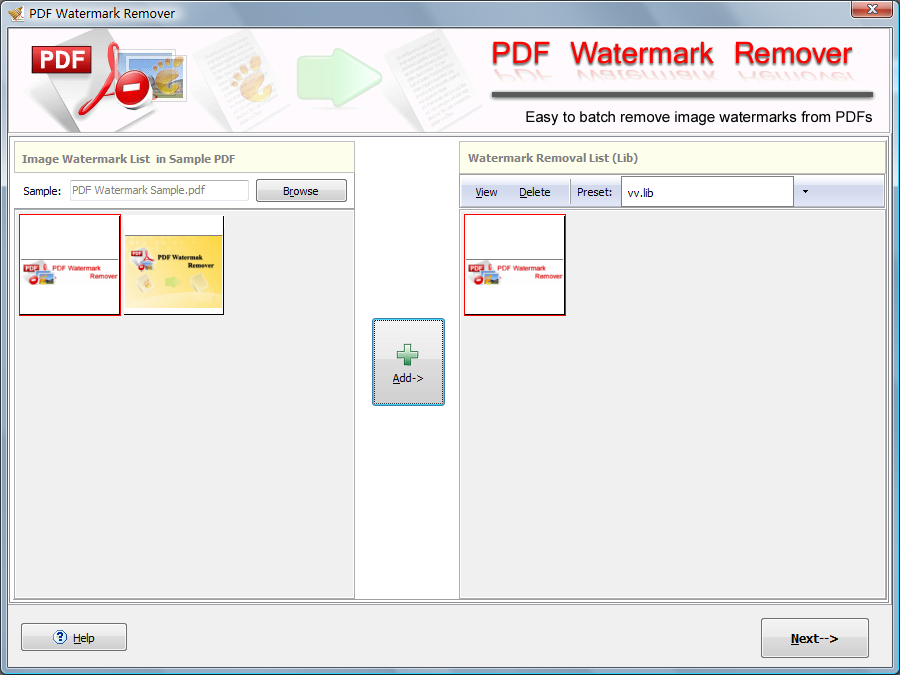
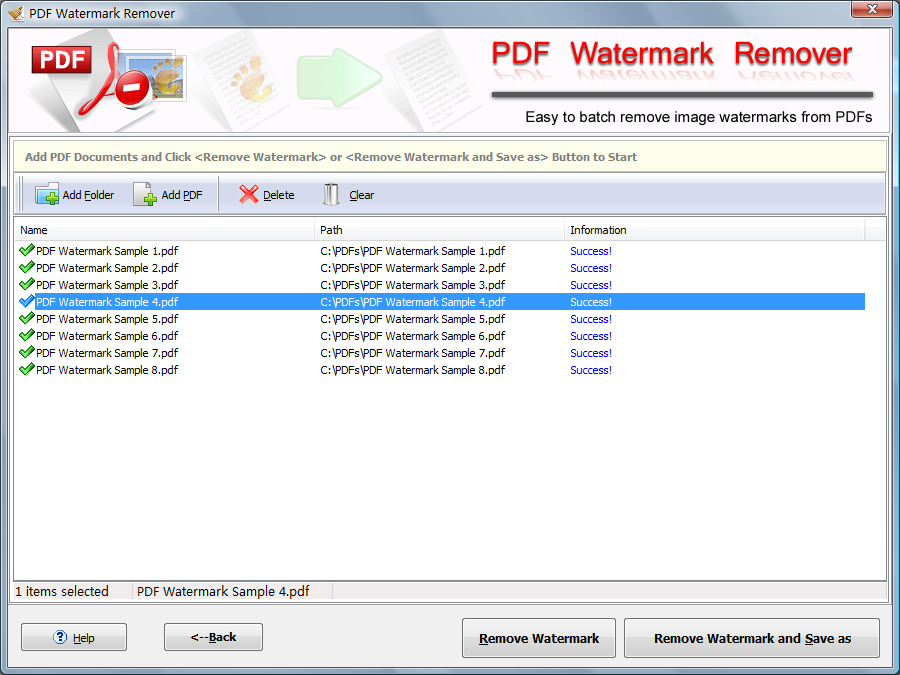
PDF Watermark Remover 1.0.2

Size: 2.46MB - Serial: Included - Link megaupload

URL: http://pdfwatermarkremover.com/


PDF Watermark Remover is an easy-to-use utility to help you to remove any embedded images from PDF files, such as Logo, Watermark, Stamp, Signature and more. It can process every page on more than 1000 files one time.

Key Features

Remove image watermark from PDF Easily
Process unlimited PDF files
Watermark presets for later use
The quality of the final output is same as the original files
Lifetime upgrade for free
No Adware/Spyware/Virus guarantee

Download:
megaupload
http://www.megaupload.com/?d=VII72HAG

Adobe Acrobat X Pro

Size: 469MB - Keygen & patcher included - Link megaupload

URL: http://www.adobe.com/products/acrobatpro.html


Adobe Acrobat X Pro software lets you deliver professional PDF communications. Create and edit PDF files with rich media included, share information more securely, and gather feedback more efficiently.

Deliver professional documents
Easily organize content from a variety of sources-including documents, e-mail, images, spreadsheets, and web pages-in a single searchable PDF Portfolio, compressed for easy distribution.

Use professionally designed templates that can be branded with your company logo and colors. Quickly integrate content, define navigation, and add polish to communicate clearly and effectively. Share information with anyone using free Adobe Reader software.

Create and manage forms
Simplify the creation and completion of forms to efficiently analyze and use data. Convert Word and Excel documents or scanned paper to PDF forms with automatic recognition of fillable fields. Or use Adobe LiveCycle Designer ES software, a professional form design tool included with Acrobat Pro software, to further customize and automate dynamic XML forms.

Extend Acrobat functionality to Reader users so virtually anyone can participate in the workflows you initiate. Use the Form Tracker to see when forms have been completed and who has completed them. And easily export data to a spreadsheet for analysis and reporting.

Manage document reviews
Accelerate the exchange of ideas with colleagues, extended teams, and customers. Through easy-to-manage electronic document reviews, participants can see and build on other reviewers' comments as they are being made, so you can quickly gain the input and consensus you need to efficiently develop and complete work. Enable virtually anyone using free Adobe Reader software to participate in reviews, and use the Form Tracker to monitor progress and participation.

Help protect sensitive information
Control access to and use of PDF documents, assign digital rights, and maintain document integrity. Set document permissions to define whether a file can be printed or changed. Apply passwords to help restrict document access. Use redaction tools to permanently remove sensitive information. Digitally sign and certify documents to validate they came from a trusted source. Create and reuse document security policies to precisely manage who can print, save, copy, or modify a document.

Deliver a compelling branded experience using PDF Portfolios
Bring multiple files together in a single organized and interactive PDF Portfolio. Use professionally designed templates that can be branded with your logo and include descriptions to guide recipients through the contents.

Help protect your documents
Use passwords to control access to PDF documents. Use permissions to restrict printing, copying, or altering. Save passwords and permissions as security policies that can be easily applied to new PDF files.

Easily create and manage electronic forms
Build dynamic forms, distribute and track forms and responses, and easily export data for analysis and reporting.

Manage and track electronic document reviews
Gain the input you need through interactive document reviews that enable participants to see and build on other reviewers' comments, which can be sorted by author, date, or page. Use the Form Tracker to monitor progress
and participation.

Include Adobe Reader users
Enable users of free Adobe Reader software to digitally sign documents, participate in shared document reviews, and save forms locally. By extending Acrobat functionality to Reader users, virtually anyone can participate in the workflows you initiate.

Synchronize document views
Provide clarity and enhance discussion by e-mailing a PDF document and walking recipients through it in real time by controlling the exact page view they see.

Remove sensitive information
Use redaction tools to black out sensitive text, illustrations, or other information, permanently deleting the content from the PDF document. Inspect PDF documents for metadata, hidden layers, and other concealed information, and remove before distributing to others.

Compare PDF documents
Automatically highlight the differences between two versions of a PDF document, including text and images, so you can quickly and easily identify what has changed.

Improve print processes
Help control costs and reduce errors with automated output controls to preview, preflight, correct, and prepare PDF files for high-end print production and digital publishing.

Create and validate accessible PDF documents
Ensure your PDF documents are optimized for people with disabilities. Quickly evaluate, correct, and automatically tag PDF documents for optimized accessibility and reflow.
Requirements:

· 1.3GHz or faster processor
· 512MB of RAM (1GB recommended)
· 1.9GB of available hard-disk space
· 1024x576 display
· DVD-ROM drive
· Internet Explorer 7 or 8; Firefox 3.5 or 3.6
· Video hardware acceleration (optional)

Download:
megaupload - 5 part - Join với FFSJ
part 1 http://www.megaupload.com/?d=TLJPSIZQ
part 2 http://www.megaupload.com/?d=U0TYT8S2
part 3 http://www.megaupload.com/?d=GON2B688
part 4 http://www.megaupload.com/?d=H9T5GIIL
part 5 http://www.megaupload.com/?d=Q6416E3M

CorelDRAW Graphics Suite X5 - Direct link


Download CorelDRAW® Graphics Suite X5
SN: DR15R22-2ETGBB4-8VHSMXH-WFPYL74

_http://www.corel.com/akdlm/6763/downloads/trials/GraphicsSuiteX5/3in1/CorelDRAWGraphicsSuiteX5Installer_EN.exe

Photo to Movie (Mac OS)

Photo to Movie can turn your digital photos into spectacular QuickTime movies. It will literally change the way you look at your photos forever. Photo to Movie will gently zoom and pan across your photos, blending them together while moving from one photo to another. Your photos will come alive in a way that will engage and impress your audience. Forget the traditional static slide show -- use Photo to Movie to bring your photos alive, focusing attention on the important part of the photo.
Photo to Movie Main Window

Motion Effects and Transitions

Photo to Movie is easy to use. Simply drag photos from the media browser and drop them into Photo to Movie. Photo to Movie will automatically add motion effects and transitions between photos. Drag in some music. Add some titles to describe your movie. Then press preview to see how your movie will look and sound. Choose your rendering format and save it to a file. The QuickTime movie is ready to use in iMovie, iDVD, Final Cut, or any other software that utilizes QuickTime movies.
Photo to Movie Title Inspector

Titles

Add some titles to describe your movie or your photos. Choose the typeface, size, style, drop shadows, and color (including transparency). Position them by direct dragging. Fade the titles in and out for smooth display.
Photo to Movie Audio Inspector

Soundtrack

Drag your music from media browser into the timeline and you have a soundtrack to add that extra audience attachment to your movie. You can adjust the timing of the music using the timeline and cross fade music pieces by overlapping them. Use the waveform to synchronize motion with specific sounds within your music. The inspector shows you all of the information about the selected piece of audio. And during rendering you have the choice of any audio format QuickTime supports. Record your own voice narration too.
Photo to Movie Waveform

Motions Paths

Form complex, multi-segment motion paths, zooming and rotating your photo along the way. Unlike other similar applications, Photo to Movie allows you to set the motion of the duration along the entire motion path, not just the individual segments. This allows you to have a steady motion speed over the entire path. You can also choose to set motion durations on a segment by segment basis. The keyframes define the motion path, the zoom, and the rotation. You can easily spin in your entire photo by setting the rotation angle to be greater than 360�.
Photo to Movie Paths

Motions Presets

Photo to Movie Motion Templates
Motion presets can be applied to all of your photos necessary. Make your movies look like the beautiful Mac OS screensaver. Then add a tiny amount of rotation to really capture your audience. If the random preset doesn't do your photo justice, then proceed to the manual editing of the keyframes and motion paths.
Photo to Movie Export Inspector

Rendering

Standard or High Definition Widescreen

Once you have created your movie, you can render it to a variety of formats. Render it to the e-mail, web format, or CD-ROM for immediate use. Render it to DV Stream or HDV for use in iMovie, Final Cut, iDVD, or DVD Studio Pro.
Photo to Movie also includes a revolutionary algorithm for optimizing each frame of the movie to nearly eliminate flicker from aliasing when showing the movie on a television.
You can also choose your output format (standard 4:3 or widescreen 16:9), and the background color to be used when the key frames go out of bounds of their photos. You can even set the background to transparent so that the movie can be composited on top of another background.
Face to face to face movie

Download the Software
=====================
You can download the latest version of Photo to Movie (Mac OS) using this link:

http://www.lqgraphics.com/software/download.php

Photo to Movie 4.7.1 (Mac OS) is the latest release. It was released on December 17, 2010.
Description Quantity Each Total Photo to Movie (Mac OS) 1 49.95 49.95
License key: 3B-9585-QHZJ-ZCAA-TNHH-H4FY-KHMX

ACDSee Pro 4.0.198 Final


ACDSee Pro 4.0.198 Final + Keymaker


Take control of photography with ACDSee Pro 4

Take your digital photos to the highest standard. ACDSee Pro 4 will help get you there fast, with all the tools you need for everything you shoot. Manage, view, process and publish your images in one full-featured application. You'll enjoy organized files, achieve stunning visual results, and free up more time to spend behind the camera.

Start browsing right away

Connect to your collection from the get-go. No need to spend time importing your photos to a separate library when they're already on your computer. Simply open ACDSee Pro 4 to directly access your folders and files live, in real time.

Organize as you import

Accelerate your workflow by setting categories, keywords and IPTC data as you import new images from your camera or storage device. You can also choose the destination, create backup copies, and rename files during the import process.

Stay organized

ACDSee Pro 4 is organized into four modes mimicking the way photographers naturally work with their images. Complete your workflow with maximum efficiency as you advance through the Manage, View, Process, and Online tabs.

Find anything

You'll never lose track of another photo again. Flexible search tools allow you to retrieve by date, event, location, and image metadata and properties.

Non-destructively process RAW files

Quickly and easily complete global non-destructive adjustments on RAW files from the leading camera manufacturers. See the results of your adjustments in real time, preview in full screen, and experiment with peace of mind knowing your originals are preserved.

Perfect every pixel

Fine tune your photos with pixel-level editing tools. Add watermarks, captions, and vignettes. Heal flaws and remove red eye. Apply edits to selected areas of your photos, and truly bring out the best in your photos.

Create stunning HDR images

Explore the creative possibilities of high-dynamic-range imaging (HDR). Patent-pending single exposure HDR algorithms built into ACDSee Pro 4's RAW processing technology intelligently stretches the dynamic range of your photos, making them incredibly realistic or atmospheric.

Manage your metadata

Access, embed, and edit IPTC, XMP and custom metadata in your images with handy tools. Enhanced interoperability ensures that this critical information is preserved in your files.

Customize your workspace

Set up ACDSee Pro 4 to complement the way you work. Choose your color scheme, define workspace presets for different steps in your workflow, and customize the toolbar to display the features that you access the most. Plus create keyboard shortcuts and configure your external editing software for seamless access.

View fast

With ACDSee Pro 4’s powerful image viewing technology, you don't have to  waste time waiting for your images to load. Even RAW files display in full-size at amazing speeds. Over 100 different file types are supported.

Present your best

Create presentations, print and e-mail your photos with ease. Manage your web presence with uploaders to flickr™, SmugMug, Zenfolio and your FTP accounts.

Easily share and publish online

Drag and drop images or automatically sync photos from specific folders to your free, personal space on the ACDSee Online website. From there you can post to Facebook, tweet your album links on Twitter, and allow select contacts to download full resolution images.

Which Photo Manager is Right for You?

Take this quick quiz to find out if ACDSee Photo Manager or ACDSee Pro 4 is best suited for your photo management needs.

System requirements:

* Microsoft® Windows® XP with Service Pack 2, Windows Vista® or Windows® 7 operating system.
* Microsoft® Internet Explorer® 6.0 (7.0 or higher recommended)
* TiVo® Desktop Software - to publish images to your TiVo
* Microsoft® DirectX® 9.0c - for Microsoft DirectX file format support, and to create slide shows and screen savers
* QuickTime® 6.0 - for QuickTime file format support
* Ghostscript® 8.0 - for PDF support
* Windows Media® Player 9.0


Link Download :

Quote:
Home: http://www.acdsee.com/

Link Source : http://files.acdsystems.com/english/...198-win-en.exe

Keygen : http://www.mediafire.com/?g57kwpc7f31qijn